
Barcode inventory software for retail and distribution teams
Know what’s in stock. See what changed.
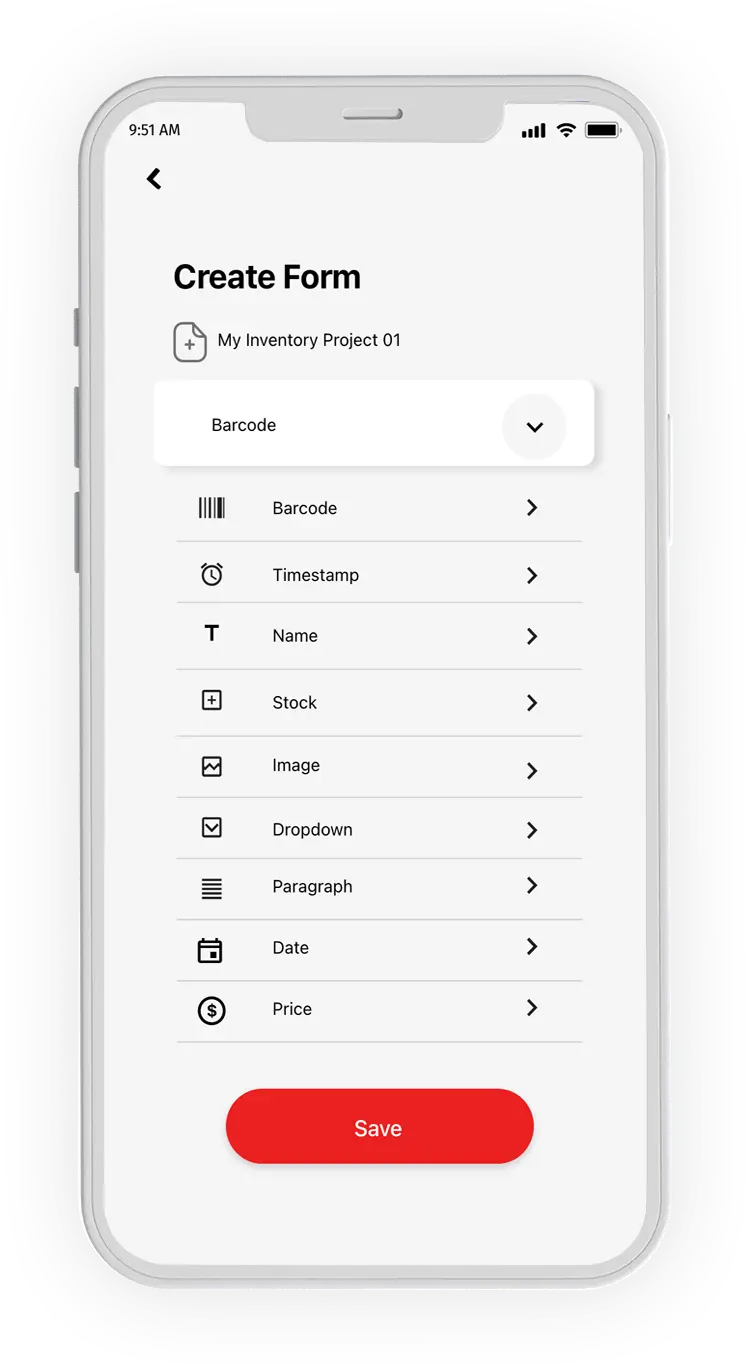
Scan stock in and out, record transfers, and see who changed what. Customize the fields your team needs and sync updates from GearChain to Google Sheets or Excel.
Works on mobile and web. No coding required.
14-day PRO PLUS trial for 2 users. Free plan limits apply afterward unless you subscribe.
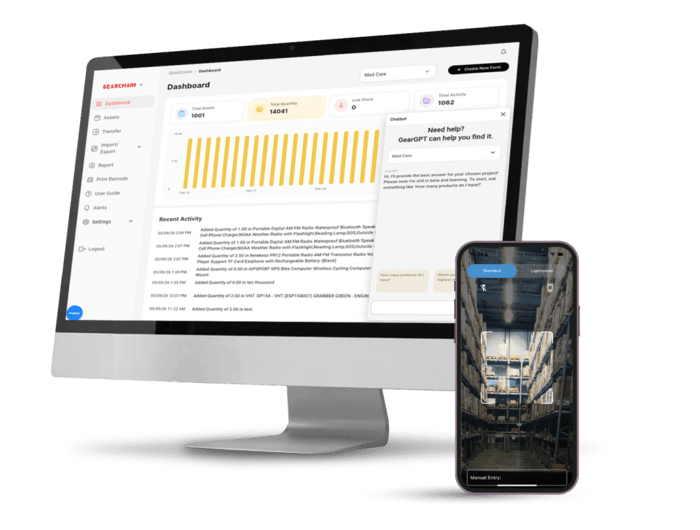


Keep your stockroom, store, and dispatch team working from the same records
Record what arrives, what leaves, and what moves between locations. Give staff a shared inventory workflow while managers keep using familiar spreadsheets for reporting.
Used by 3,000+ organizations worldwide.

Why Teams Choose GearChain


Receive stock
Scan an item, enter the received quantity, and update its stock record.

Issue and ship items
Record items leaving the shelf for a customer, a job, or another team.

Scan existing barcodes
Find and update items with your phone or a compatible barcode scanner.

Review movement history
Review recorded receipts, issues, and updates when you need to explain a stock change.
Move stock between locations
Record stock transfers and follow the handoff between teams or locations.
Track the details your team needs
Add fields for bins, suppliers, part numbers, locations, and other useful details.

Set low-stock alerts
Set a minimum stock level and receive an alert when an item reaches it.

Control team access
Choose who can view inventory, record changes, or manage your forms.
Built for teams that move fast.
Used by 3,000+ organizations worldwide.


.png)
.png)

.png)
.png)
.png)





How It Works
From spreadsheet to daily stock tracking
Import your inventory
Start with your spreadsheet, match the columns, and check a few real items.
Scan stock in and out
Record a delivery, an issue, or a transfer as your team handles the stock.
Check the result
Review the resulting stock quantity and the history behind the change.
Connect your team and spreadsheet
Give staff access and connect Google Sheets or Excel for reporting.
Example: one item through a shift
Illustrative example starting at zero stock.
| Action | Quantity | Balance |
|---|---|---|
| Opening stock | 0 | 0 |
| Received | +10 | 10 |
| Issued | −3 | 7 |
Keep your spreadsheet connected to daily stock work
Import your existing inventory, then connect a GearChain spreadsheet for reporting.
Sync with:
● Google Sheets
● Excel
● Google Drive
● OneDrive
One-way sync sends GearChain updates to your connected spreadsheet. Spreadsheet edits do not update GearChain.
Compare Google Sheets and Excel sync






Why GearChain Stands Out
Here are a few reasons why teams choose GearChain.
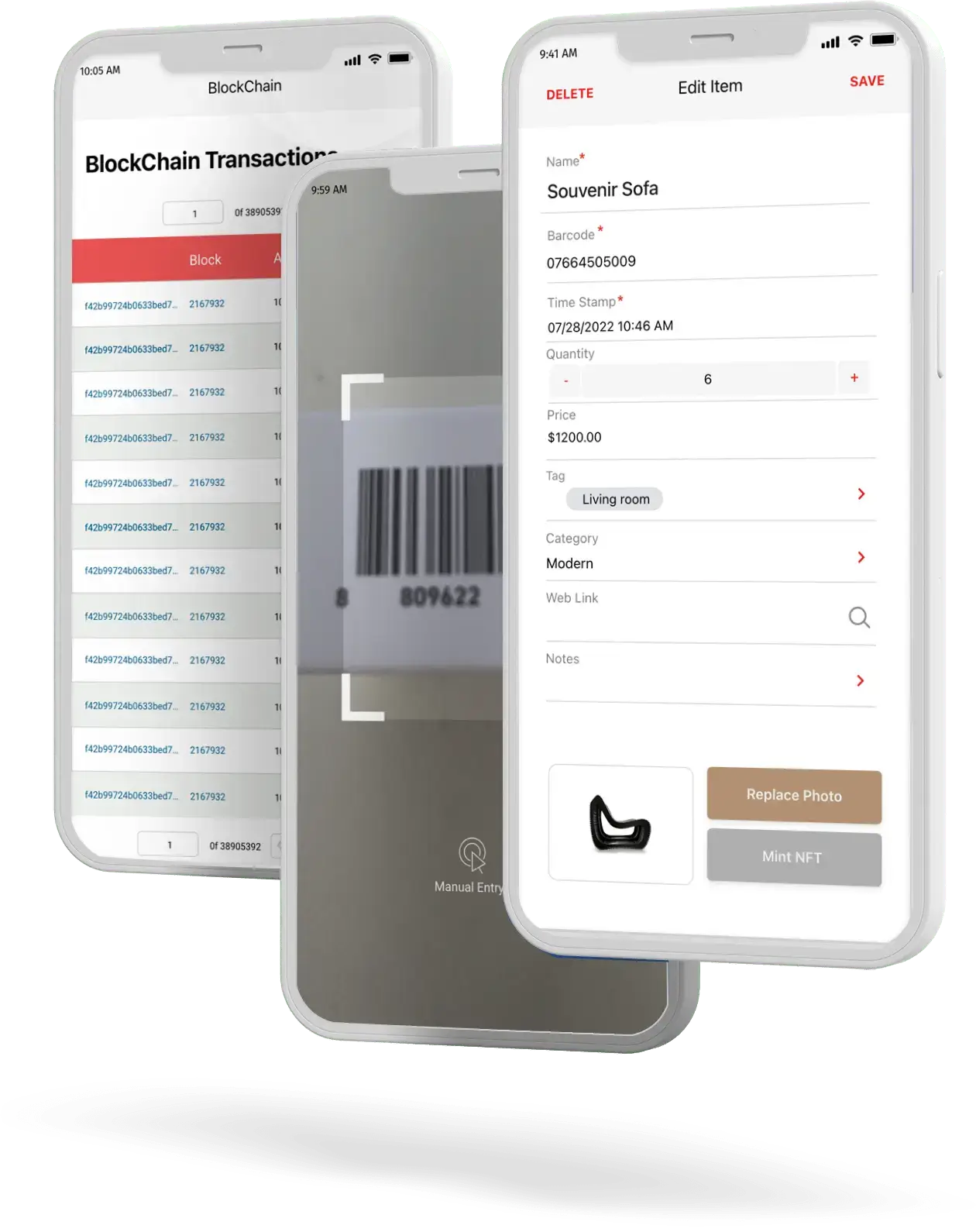

Start with your spreadsheet
Bring your item list into GearChain and check the field mapping before putting it to work.

Record stock as it moves
Capture receipts and issues from the shelf, stockroom, or dispatch area.

Give staff a shared stock record
Let staff work with the same inventory records while managers review activity.

See who changed what
Use recorded user and timestamp details to follow a stock change back to its source.
Fit your existing process
Customize fields and access for the way your team receives, stores, and issues stock.

Get help with your setup
Book a setup demo to walk through your inventory list, fields, and scanning workflow.


Yes. GearChain supports fast 1D and 2D barcode scanning through mobile devices, barcode gun and compatible scanning workflows.
GearChain is built for organizations that need a fast, flexible way to track inventory, assets, people, or supply chain activities without building custom software.
Yes. GearChain integrates with Google Sheets and Excel, making it easy to sync records and continue using the spreadsheet workflows your team already knows.
Yes. GearChain supports barcode label printing as part of your tracking workflow.
You can track inventory, assets, equipment, products, tools, supply chain events, and even people or operational workflows, depending on how you configure your forms.
A 1:1 Demo with Startup Help is a short 10-20 minute session where our team walks you through how to set up inventory or asset tracking using the GearChain app. During the demo, we share our app screen and help you create a custom inventory form tailored to your project. The form builder works similarly to Google Forms, but it is designed specifically for barcode-based inventory and asset tracking.
In this session you will learn how to:
-
Create a custom inventory form
-
Track assets using barcode scanning
-
Organize inventory data like a spreadsheet
-
Collaborate with team members on shared inventory records
By the end of the demo, you will have a working setup and understand how to start managing your inventory with GearChain.
Spreadsheets are useful, but they often become manual, error-prone, and hard to manage at scale. GearChain adds barcode scanning, mobile workflows, custom forms, collaboration, and better data consistency while still syncing with your spreadsheets.
GearChain is a no-code tracking platform for inventory, assets, equipment, supply chain data, and team workflows. It includes barcode and NFC scanning, spreadsheet sync, label printing, AI-assisted setup, and optional blockchain-backed traceability.
GearChain supports traceability-focused workflows that can help organizations manage food supply chain records and reporting requirements. Specific compliance needs should be evaluated based on your process and implementation.
GearChain uses AI to help generate forms, support setup, improve scanning workflows, and make it easier to structure tracking processes for different business needs.
Blockchain can be used to strengthen traceability and data integrity by creating verifiable records of important scan events and transactions.
Yes. A 1:1 demo can help you set up inventory tracking, forms, barcode workflows, and spreadsheet sync based on your use case.
Ask questions about your inventory
Start with a stock review.
Choose a form, ask about stock quantities or recorded activity, and review the answer alongside your item records.
Check quantities in Assets and movements in History before acting.
See practical GearGPT examples

Optional blockchain verification
Add verification for workflows that need it.
When enabled for a supported workflow, selected events can include a blockchain transaction reference.
Review verification details in the app. Everyday inventory tracking does not require blockchain.


Start with your next delivery.
Import a few real items, record stock arriving and leaving, and review the resulting quantity and history with your team.
Get started on mobile or web.
14-day PRO PLUS trial for 2 users. Free plan limits apply afterward unless you subscribe.
.webp)
