Integrating Inventory Management Software with Other Business Tools
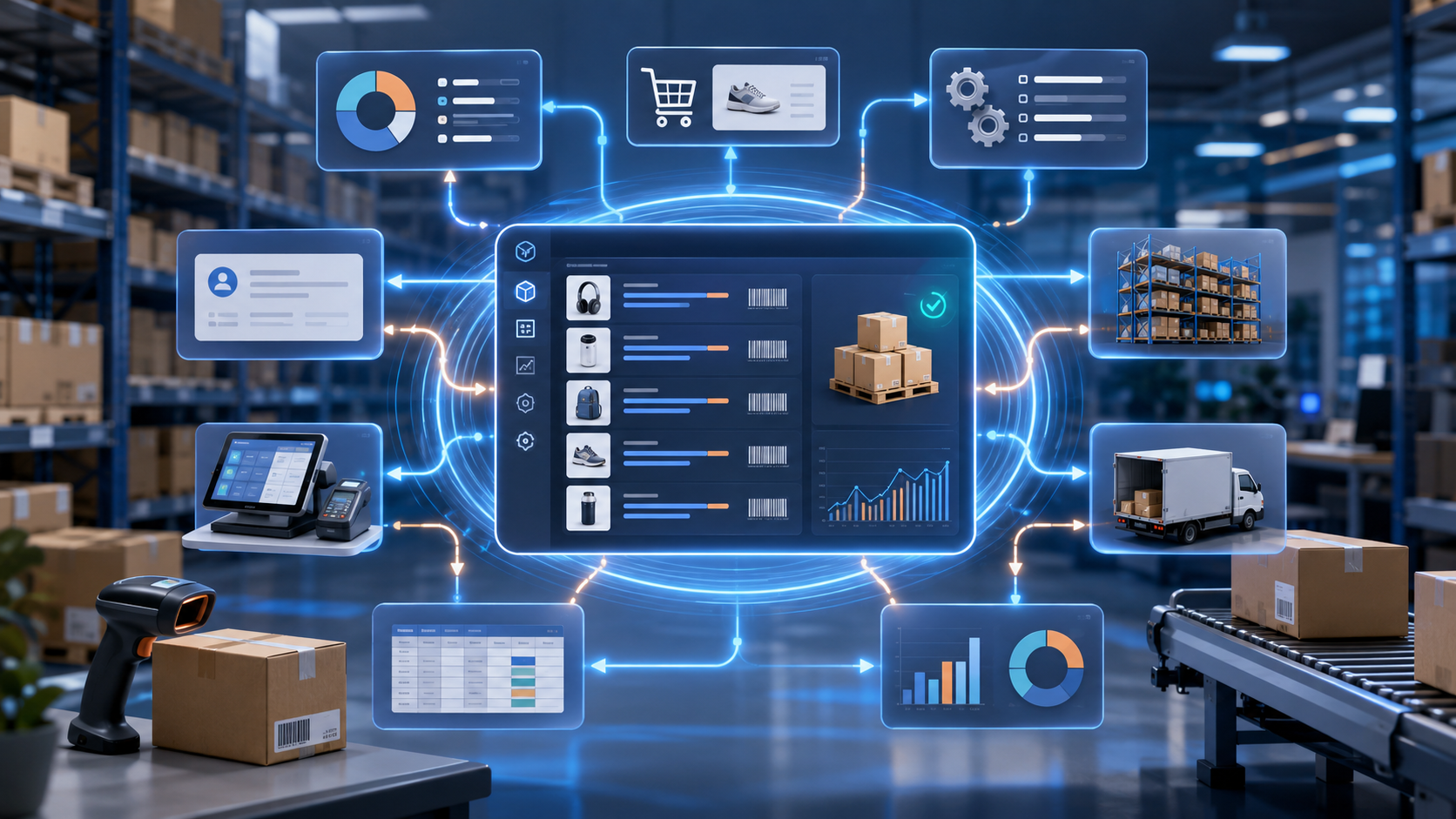
Inventory management software integration connects your stock control system with the other tools your business already uses: spreadsheets, accounting software, ERP systems, ecommerce platforms, CRM tools, warehouse management systems, POS systems, shipping software, and reporting dashboards. Instead of updating inventory manually in several places, an integrated inventory management system keeps stock levels, orders, product data, supplier records, invoices, and fulfillment updates synchronized.
For growing teams, this matters because inventory does not live in one department. Sales teams need accurate product availability. Finance teams need clean cost and valuation data. Warehouse teams need real-time stock movement. Operations teams need demand forecasting, reorder points, and fewer manual errors. This is why inventory integration has become a core part of business process automation and supply chain visibility.
GearChain is built around this need for simple, connected inventory workflows. The platform supports inventory and asset tracking, no-code app building, barcode workflows, spreadsheet sync, AI insights, and integrations with Google Sheets, Excel, Google Drive, OneDrive, legacy systems, ERPs, and other business software through API integrations.
What is inventory management software integration?
Inventory management software integration is the process of connecting inventory software with other business systems so that data can move automatically between them. This can include stock levels, SKUs, product descriptions, purchase orders, sales orders, invoices, shipments, returns, supplier details, customer records, warehouse locations, and inventory valuation.
A strong integration creates a single source of truth for inventory data. When an item is sold, received, moved, scanned, returned, or adjusted, the connected systems update without repeated manual entry. Inventory integration helps businesses improve real-time inventory visibility, reduce stock discrepancies, prevent stockouts, avoid overselling, and make better operational decisions.
Competitor and industry content commonly explains inventory integration as the connection between inventory tools and systems such as accounting, warehousing, ecommerce, order fulfillment, POS, shipping, and supply chain platforms.
Why disconnected inventory systems create problems
Many businesses start with spreadsheets because they are flexible, familiar, and affordable. The problem begins when inventory data spreads across multiple files, sales channels, warehouses, departments, and software tools. A stock update may happen in the warehouse, but the ecommerce store, accounting system, or sales team may not see it quickly enough.
That delay creates common inventory problems:
manual data entry errors
duplicate product records
inconsistent SKU data
delayed stock updates
inaccurate reorder points
poor inventory forecasting
overselling across channels
stockouts and backorders
excess inventory
slow order fulfillment
disconnected finance and operations reporting
Integrated inventory management solves these problems by keeping data synchronized across the business. Instead of reacting to outdated records, teams work from live stock information, structured product data, and automated inventory workflows.
Which business tools should connect with inventory software?
The best inventory management software integration strategy depends on how your business sells, stores, buys, ships, and reports inventory. These are the most important systems to connect.
1. Accounting software
Inventory and accounting software integration keeps financial records aligned with stock movements. When products are purchased, sold, returned, or adjusted, the accounting system can reflect inventory valuation, invoices, cost of goods sold, purchase orders, and revenue data more accurately.
This helps finance teams reduce reconciliation work and avoid mismatches between physical stock and financial reporting.
2. Ecommerce platforms
Ecommerce inventory integration connects online sales channels with stock data. When a customer places an order, inventory should update automatically. When stock is low, product availability should reflect that change.
Real-time inventory sync is especially important for multichannel inventory management because every additional sales channel increases the risk of overselling, delayed fulfillment, and inaccurate product availability. Real-time sync is commonly described as event-based updating after a sale, return, transfer, or inventory adjustment.
3. ERP systems
Inventory and ERP integration connects stock control with finance, procurement, sales, purchasing, production, and supply chain operations. This is useful for businesses that need more than basic stock tracking.
An ERP-connected inventory system can support purchase planning, demand forecasting, supplier management, replenishment, inventory accounting, and business-wide reporting.
4. CRM systems
CRM and inventory integration helps sales and customer service teams see accurate product availability before making promises to customers. If a sales rep knows what is in stock, reserved, delayed, or ready to ship, they can give customers better answers.
This connection is useful for B2B sales, wholesale operations, field service teams, and businesses that handle repeat customer orders.
5. Warehouse management systems
Inventory and warehouse management integration connects receiving, picking, packing, barcode scanning, stock transfers, cycle counts, and shipping activity. This improves warehouse inventory accuracy and helps teams track where stock is located across bins, shelves, warehouses, vehicles, or job sites.
GearChain supports barcode and NFC-style inventory workflows, multi-location tracking, spreadsheet synchronization, and structured inventory data such as stock quantity, restock levels, barcode values, location data, and custom fields.
6. POS systems
POS inventory integration connects in-store sales with stock control. When a product sells at the counter, inventory should update across the system. This prevents the online store, warehouse, and retail team from working with outdated stock levels.
For retailers, POS integration supports omnichannel inventory management, real-time stock updates, and more accurate replenishment.
7. Shipping and fulfillment tools
Shipping integration helps connect order fulfillment with inventory deductions, delivery status, tracking numbers, and returns. This is important for ecommerce, wholesale, distribution, and multi-location businesses.
When shipping and inventory systems are connected, teams can move faster from order received to picked, packed, shipped, and reported.
8. Reporting and business intelligence tools
Inventory reporting integration turns stock data into actionable insights. Teams can monitor stock movement, slow-moving items, reorder points, demand trends, supplier performance, stock discrepancies, and inventory value.
GearChain’s positioning includes AI-powered insights and forecasting, helping teams ask questions about inventory data, identify restocking needs, and use inventory information for better decisions.
Common ways to integrate inventory management software
Businesses can connect inventory software with other tools in several ways.
Native integrations are prebuilt connections between systems. They are often easier to set up and maintain.
API integrations allow inventory systems to exchange data with ERPs, legacy systems, custom software, and other business platforms.
Webhooks trigger updates when an inventory event happens, such as a sale, return, scan, or stock adjustment.
Middleware or iPaaS tools sit between systems and manage data flow, field mapping, sync rules, and error handling.
CSV import and export can work for simple workflows, but it is usually less efficient than real-time or automated data synchronization.
EDI integrations are often used in supply chain, wholesale, retail, and distributor relationships where structured transaction data needs to move between companies.
The right method depends on your systems, data volume, sync frequency, technical resources, and whether you need real-time sync or scheduled updates.
What data should sync between systems?
A useful inventory integration should sync the data that affects purchasing, selling, fulfillment, finance, and reporting. This may include:
SKU numbers
item names and descriptions
product categories
stock quantity
stock location
barcode values
serial numbers
batch or lot numbers
supplier data
customer data
purchase orders
sales orders
invoices
shipping status
returns
reorder points
safety stock
cost fields
inventory valuation
user roles and permissions
audit logs
Inventory synchronization helps maintain a real-time availability view across multiple systems, locations, suppliers, distribution points, and in-transit stock.
Benefits of integrating inventory software with business tools
The biggest benefit is accuracy. When inventory data syncs automatically, teams spend less time checking spreadsheets, correcting errors, and chasing updates.
Other benefits include better inventory visibility, faster order fulfillment, fewer stockouts, reduced overselling, cleaner financial reporting, improved demand forecasting, better warehouse control, and stronger customer experience.
Integrated inventory systems also support scalability. A small business may begin with spreadsheet-based inventory management, then add barcode scanning, multi-location inventory tracking, API integration, ERP connectivity, and automated reporting as operations grow. GearChain’s spreadsheet integration approach is relevant here because it helps businesses keep familiar tools like Google Sheets and Excel while adding automation, structure, and scalability.
Best practices for inventory integration
Start by auditing your current tools. Identify where inventory data is created, changed, duplicated, or delayed. Then choose which system should become the source of truth for stock levels, SKUs, locations, and product data.
Clean your inventory data before connecting systems. Standardize SKUs, remove duplicate records, define required fields, and make sure product names, units, costs, and locations are consistent.
Next, map your data flows. Decide which system sends data, which system receives it, whether sync should be one-way or bidirectional, and how often updates should happen.
Test the integration in stages. Begin with a small product group, location, or workflow. Monitor sync errors, API limits, missing fields, failed updates, and duplicate records. Train your team before going live.
Finally, review performance regularly. Inventory integration is not a one-time setup. As sales channels, warehouses, suppliers, and workflows change, your integration rules should evolve too.
Conclusion
Integrating inventory management software with other business tools helps businesses move from disconnected stock records to a connected inventory management system. By syncing inventory data with accounting software, ecommerce platforms, ERP systems, CRM tools, POS systems, warehouse software, shipping tools, and reporting dashboards, teams gain better visibility and control.
For businesses that want real-time inventory accuracy without abandoning spreadsheets, GearChain provides a practical path: no-code inventory workflows, spreadsheet sync, barcode tracking, AI insights, and API integration options that connect inventory management with the wider business system.
The result is simple but powerful: fewer manual updates, cleaner data, better stock control, faster fulfillment, and more confident decisions across the business.
FAQs
1. How do you integrate inventory management software with other business tools?
You integrate inventory management software by connecting it to accounting, ecommerce, ERP, CRM, POS, warehouse, and shipping systems through native integrations, APIs, middleware, webhooks, or structured data sync. Start by mapping inventory data, cleaning SKUs, testing workflows, and monitoring errors.
2. What is inventory integration?
Inventory integration is the process of connecting inventory management software with other business systems so stock levels, orders, product data, invoices, purchase orders, and shipping updates stay synchronized. It helps businesses reduce manual entry, improve accuracy, and create real-time inventory visibility.
3. Why is inventory management software integration important?
Inventory management software integration is important because disconnected systems cause stock errors, overselling, stockouts, duplicate records, and slow reporting. Integrated inventory systems automate data flow, improve order fulfillment, support accurate financial reporting, and help teams make faster decisions.
4. What systems should inventory management software integrate with?
Inventory management software should integrate with accounting software, ecommerce platforms, ERP systems, CRM tools, POS systems, warehouse management software, order management systems, shipping tools, supplier portals, procurement systems, and reporting dashboards to keep inventory data accurate across the business.
5. What is real-time inventory sync?
Real-time inventory sync updates stock levels across connected systems as soon as an inventory event happens, such as a sale, return, transfer, barcode scan, or stock adjustment. It helps prevent overselling, supports accurate product availability, and improves fulfillment speed.
6. Can inventory software integrate with spreadsheets?
Yes, inventory software can integrate with spreadsheets when the system supports Google Sheets or Excel sync. This lets businesses keep familiar spreadsheet workflows while adding barcode scanning, structured fields, real-time updates, team permissions, automation, and cleaner inventory reporting.

Enter email to get Free Google Sheets Template
We’ll email you a quick verification link. Click it to confirm your address and your template will open automatically.
Enter email to get Free Excel Template
We’ll email you a quick verification link. Click it to confirm your address and your template will open automatically.