Review your stock with GearGPT
Choose an inventory form, ask a specific question, and review the answer alongside your item records.
Start free trial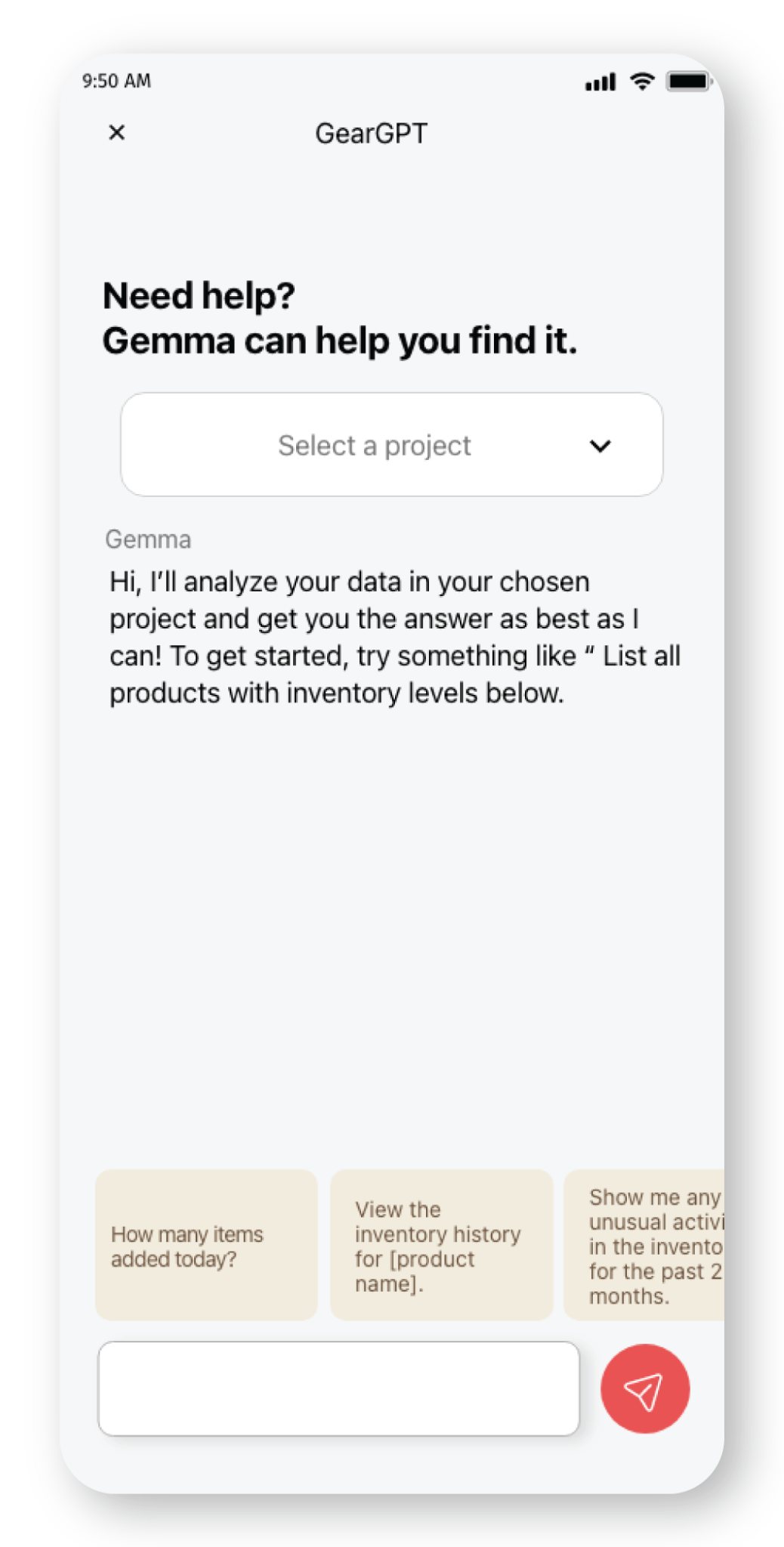
Start with a low-stock review
- Select the form containing the inventory you want to review.
- Ask: “Which items have fewer than 5 units in stock?”
- Open Assets and compare the returned items with their current stock quantities and units.
- Use the checked list to plan a stock count or replenishment review.
This example uses a fixed quantity of 5. Your items can have different minimum stock levels, so check their thresholds before deciding what to reorder.
Ask a question with a clear job behind it
- “Which product has the highest stock?” Compare current quantities to decide which item needs a closer stock review.
- “What are the top items by inventory value?” Review quantity and unit price together. Missing prices or mixed currencies need attention before you rely on a value comparison.
- “Show the inventory trend over the last 30 days.” Specify the period and compare the result with the recorded History. A history of stock movements is different from a current stock balance.
Check the records behind the answer
GearGPT uses the selected form for your question. Keep item quantities, prices, and recorded activity current, and specify the metric or time period you want to review.
Use the answer as a starting point for review. Check quantities and prices in Assets, and dates and movements in History, before making a stock decision. Charts and tables help you inspect the result; they do not replace the underlying records.
Choose the form. Check the result.
Review available charts and tables alongside the answer, then open the matching item records for detail.
If the answer does not match your records, narrow the question, check the selected form and date range, and verify the source data.
Keep daily stock work connected
Continue recording receipts, issues, and transfers in GearChain. Your team maintains the inventory records that make a stock review useful.
GearGPT questions
What does GearGPT help me do today?
Ask questions about inventory in a selected form and review the available answers, charts, and tables. Start with a stock check, value comparison, or recorded-activity review.
What makes a useful question?
Name the stock quantity, value, item, or time period you want to review. For a value question, check that quantity and price fields are populated. For a trend question, check that History covers the requested dates.
How should I use an answer?
Compare it with Assets and History, then decide on your next stock count or replenishment review. An AI answer or chart alone is not confirmation that a quantity is correct or that a stock change has been made.
Put this into practice

Enter email to get Free Google Sheets Template
We’ll email you a quick verification link. Click it to confirm your address and your template will open automatically.
Enter email to get Free Excel Template
We’ll email you a quick verification link. Click it to confirm your address and your template will open automatically.