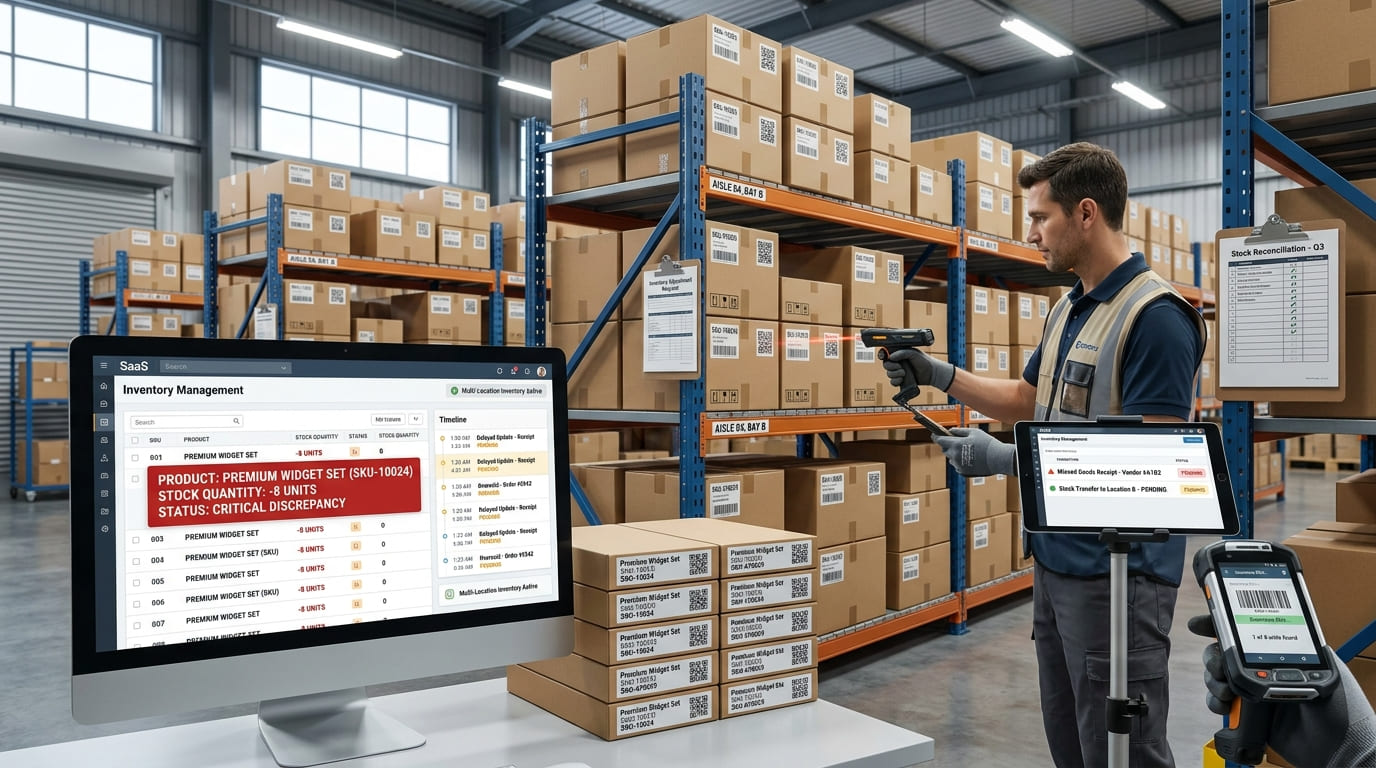
Negative inventory can quickly create confusion in stock records. Your inventory system may show -5 units of a product even though physical inventory cannot literally fall below zero.
When this happens, the negative number is usually a warning that inventory movements and system records no longer match.
The cause could be a missed goods receipt, an incorrect stock transfer, overselling, a wrong SKU, a delayed system update, or an inventory adjustment that was entered incorrectly.
Fixing negative inventory is not simply about changing a negative quantity back to zero. The better approach is to identify what caused the inventory discrepancy, correct the affected records, verify physical stock, and improve the workflow that allowed the problem to happen.
What Is Negative Inventory?
Negative inventory occurs when an inventory system records a quantity on hand below zero for a product, SKU, warehouse, or location.
For example, an inventory system may show:
Quantity on hand: -8 units
This does not mean eight physical products somehow exist below zero.
It usually means the system recorded more inventory leaving than it recorded coming in.
A business might have received 50 units physically but failed to record the goods receipt. If employees then pick and ship those products, the system can eventually show negative stock because outbound inventory transactions are being recorded without the matching inbound transaction.
Negative inventory is therefore usually an inventory accuracy problem rather than a physical inventory condition.
What Causes Negative Inventory?
There is no single cause of negative stock. It can develop anywhere inventory is received, moved, picked, shipped, counted, returned, or adjusted.
Here are the most common causes.
1. Inventory Is Received but Not Recorded
One of the simplest causes is a missing or delayed inventory receipt.
Products arrive at the warehouse and become available physically, but the receiving transaction is not entered into the inventory system.
Employees begin picking or selling the stock anyway.
The system keeps subtracting units even though it never recorded those units arriving, eventually creating a negative inventory balance.
Receiving inventory promptly is therefore critical to accurate quantity-on-hand records.
2. Overselling Available Stock
Overselling happens when more units are sold or allocated than the system shows as available.
This can occur when inventory updates are delayed or when multiple users, locations, spreadsheets, or sales channels work from different stock quantities.
For example, two teams may both see the same five available units and allocate them to different orders before the inventory record updates.
Real-time stock visibility reduces this risk because teams make decisions using more current inventory information.
3. Stock Transfers Are Recorded Incorrectly
Inventory transfers are another common source of negative stock.
Suppose 20 units move from Warehouse A to Warehouse B.
Warehouse A records the outbound transfer immediately, but Warehouse B never records the receipt.
The company may still physically own all 20 units, yet the records for the individual locations are now inaccurate.
This becomes especially important in multi-location inventory management, where overall company inventory can appear correct while one warehouse, bin, vehicle, project, or branch shows a negative balance.
4. Manual Data Entry Errors
Manual inventory updates create opportunities for mistakes.
An employee may:
enter 50 units instead of 5
select the wrong SKU
choose the wrong location
record an outbound movement twice
enter the wrong unit of measure
forget to record inventory received
adjust the wrong inventory item
A small error can become difficult to detect after dozens of additional stock movements occur.
This is one reason structured item records and barcode or QR scanning can help improve inventory accuracy.
5. Physical Stock and System Stock Do Not Match
Inventory records can gradually move away from physical reality.
Products may be damaged, lost, misplaced, stolen, consumed internally, or moved between locations without being recorded.
Eventually, employees try to pick stock that the system believes exists—or process inventory that was never correctly entered—and discrepancies appear.
Regular cycle counts and physical inventory checks help catch these differences before they become larger problems.
6. Returns and Adjustments Are Recorded Incorrectly
Returns affect stock quantities in both directions.
A customer return may physically arrive but never be added back into available inventory.
A vendor return may leave the warehouse without the quantity being reduced.
Manual inventory adjustments can create similar issues when the wrong SKU, quantity, or location is selected.
Every inventory adjustment should have a clear reason and, where possible, an audit trail.
7. Inventory Updates Are Delayed
Timing matters.
If inventory changes happen physically before they are recorded digitally, the system is always working with old information.
A warehouse team might receive products in the morning but update the spreadsheet at the end of the day. During that gap, sales or picking transactions can create an apparent negative quantity.
The longer inventory updates are delayed, the greater the chance that system stock and physical stock will become disconnected.
Why Is Negative Inventory a Problem?
Negative inventory is more than an unusual number on a screen.
It can make the rest of your inventory information unreliable.
Potential problems include:
incorrect stock availability
overselling
unnecessary purchase orders
missed replenishment
stockouts
order fulfillment delays
inaccurate demand planning
unreliable inventory reports
incorrect warehouse quantities
poor multi-location visibility
Negative stock can also hide a larger process problem.
If one SKU becomes negative because employees are not recording transfers correctly, other products may have the same problem even if their balances have not yet fallen below zero.
Negative inventory should therefore be treated as a signal to investigate inventory accuracy, not simply as a quantity that needs editing.
How to Fix Negative Inventory
The best way to fix negative inventory is to trace the problem back to its source.
Step 1: Identify the Affected SKU and Location
Start with the product showing negative quantity on hand.
Check the SKU, warehouse, bin, store, project, vehicle, or other location connected to the negative balance.
Do not assume company-wide stock is also negative.
The problem may exist only at one location.
Step 2: Verify the Physical Inventory
Count the actual stock.
Compare the physical quantity with the inventory system quantity.
For example:
System quantity: -6
Physical quantity: 14
You now know there is a 20-unit discrepancy that needs investigation.
Do not immediately change the system to 14 without understanding why the difference exists.
Step 3: Review Inventory Transaction History
Look through recent inventory movements for that SKU.
Check:
goods receipts
purchase orders
sales or issues
picking
shipping
stock transfers
returns
inventory adjustments
cycle count corrections
Try to identify the point where the quantity first became negative.
This often reveals the root cause faster than reviewing every historical transaction.
Step 4: Find the Missing or Incorrect Transaction
Once you identify when the problem began, determine what went wrong.
Was stock physically received but never entered?
Was a transfer deducted twice?
Was the wrong SKU used?
Was inventory shipped before the purchase receipt was recorded?
Was an incorrect adjustment posted?
Correcting the original error keeps the transaction history more meaningful than simply adding enough inventory to remove the negative balance.
Step 5: Reconcile Inventory
After correcting the transaction problem, compare the system quantity with physical inventory again.
If a difference remains, perform an approved inventory adjustment so that recorded inventory matches the verified stock count.
Document why the adjustment was required.
This creates a clearer audit trail for future inventory reconciliation.
Why You Should Not Simply Reset Negative Stock to Zero
Changing -10 units to zero may make the warning disappear, but it does not explain why the inventory became negative.
If the original problem was an unrecorded receipt, transfer error, duplicate issue, or incorrect SKU, that process problem still exists.
The same discrepancy may return.
The goal should be:
find the cause → correct the transaction → reconcile the stock → prevent recurrence
That turns inventory correction into process improvement.
How to Prevent Negative Inventory
Preventing negative inventory starts with accurate stock movement records.
Record Inventory When It Moves
Inventory should be updated during receiving, transfers, picking, shipping, returns, and adjustments—not hours or days later.
The closer the digital transaction is to the physical movement, the more reliable inventory records become.
Use Barcode or QR Code Scanning
Barcode and QR code scanning can reduce manual typing and help teams identify the correct SKU and location during inventory movements.
GearChain’s current inventory workflows support mobile barcode and QR scanning, barcode generation, real-time updates, multi-location tracking, and scan history.
Scanning is particularly useful during receiving, stock transfers, cycle counts, picking, shipping, and returns.
Perform Regular Cycle Counts
Cycle counting checks selected SKUs, bins, or inventory locations throughout the year instead of waiting for one large annual stock count.
It helps businesses detect inventory discrepancies closer to when they occur.
GearChain’s existing inventory guidance also recommends comparing physical stock with system quantities and investigating the cause of variances rather than making unexplained adjustments.
Keep SKUs and Locations Clean
Each inventory item should have a clear, unique SKU or item identifier.
Locations should also use consistent names or codes.
Duplicate SKUs, unclear product descriptions, inconsistent units of measure, and poorly labeled locations increase the chance of inventory being recorded against the wrong item.
Keep Inventory Data Synchronized
Disconnected spreadsheets and delayed updates can create different versions of inventory reality.
Teams need a reliable source of current stock information.
GearChain supports inventory tracking with Google Sheets and Excel synchronization while retaining structured inventory data in the application, helping teams keep operational records connected without relying entirely on manual spreadsheet updates.
Final Thoughts
Negative inventory usually means your inventory records and physical stock movements are out of sync.
The cause may be a missing receipt, overselling, transfer error, inaccurate count, wrong SKU, delayed update, return, or incorrect inventory adjustment.
Fixing the problem starts with verifying physical stock and reviewing transaction history. Find the point where the inventory first became negative, correct the original error, reconcile the remaining difference, and then improve the workflow that caused it.
The most effective prevention strategy is not simply blocking negative numbers.
It is maintaining accurate inventory data through timely receiving, clear SKUs, location tracking, barcode or QR scanning, regular cycle counts, stock reconciliation, and real-time inventory visibility.
When every inventory movement is easier to record and trace, negative stock becomes easier to investigate, and much less likely to happen repeatedly.
FAQs
What is negative inventory?
Negative inventory occurs when an inventory system shows a quantity on hand below zero for a product or location. It usually means recorded stock movements do not match physical inventory because of missing receipts, overselling, transfer errors, adjustments, or delayed updates.
What causes negative inventory?
Negative inventory is commonly caused by missing goods receipts, overselling, delayed inventory updates, incorrect stock transfers, wrong SKUs, manual data entry errors, unrecorded returns, inaccurate physical counts, or inventory adjustments that reduce recorded stock below the quantity actually available.
How do you fix negative inventory?
Verify the physical stock, identify the affected SKU and location, review its transaction history, and find where the quantity first became negative. Correct missing or inaccurate transactions, reconcile any remaining variance, and address the process that caused the discrepancy.
Can physical inventory be negative?
No. Physical inventory cannot literally be less than zero. A negative quantity normally exists in the inventory records and indicates that more stock was recorded as sold, transferred, shipped, or consumed than the system recorded as available.
How do you prevent negative inventory?
Prevent negative inventory by recording stock movements promptly, using accurate SKUs and locations, scanning barcodes or QR codes, confirming transfers, performing regular cycle counts, reconciling discrepancies, and keeping inventory quantities synchronized across users, warehouses, spreadsheets, and operational systems.
Does negative inventory affect inventory accuracy?
Yes. Negative inventory is usually a strong indicator that inventory records are inaccurate. It can make stock availability, replenishment, purchasing, forecasting, and fulfillment decisions unreliable until the underlying transaction error or physical inventory discrepancy has been identified and corrected.
