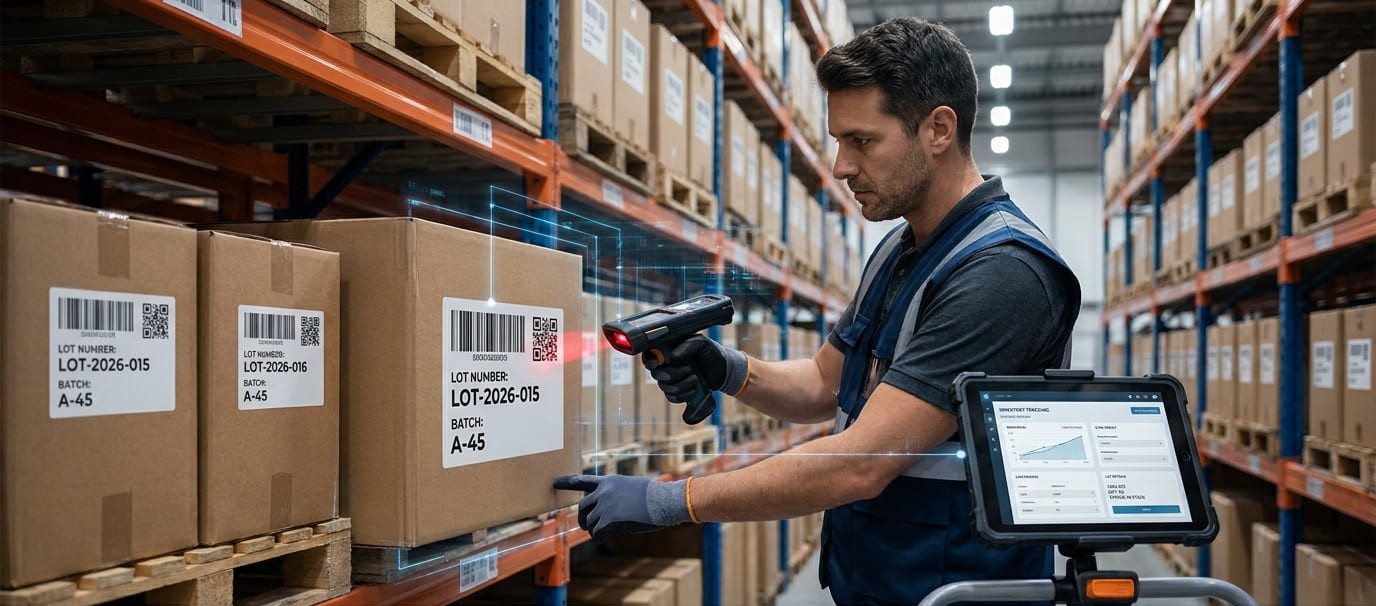
Businesses that manage products in batches need to know more than how many units are available. They also need to know which batch each product belongs to, where it is stored, when it was received, and where it went after leaving the warehouse. Inventory lot tracking makes this information easier to organize, monitor, and retrieve.
Tracking inventory by lot number helps businesses maintain product traceability, monitor expiration dates, investigate quality issues, and identify affected products during a recall. It is particularly useful for manufacturers, distributors, retailers, healthcare organizations, and businesses handling perishable goods.
A reliable process connects each lot number with its product, SKU, quantity, supplier, storage location, and transaction history. With barcode scanning and digital inventory records, teams can reduce manual errors and maintain better visibility across inventory operations.
What Is Lot Number Tracking in Inventory Management?
Lot number tracking is an inventory management method that identifies and monitors a specific group of products using a unique lot or batch number. Products manufactured or received together can share the same lot identifier, allowing businesses to track them as a group rather than identifying every unit individually.
For example, a supplier delivers 500 units of a product under lot number LOT-2026-015. The inventory record connects that number with the product SKU, supplier, receiving date, quantity, and storage location.
If 150 units are shipped, the remaining 350 units stay associated with the same lot. This makes it easier to identify the origin and movement of the remaining stock.
Unlike serial number tracking, which assigns an individual identifier to each unit, lot tracking monitors groups of identical products. It is especially useful when batch-level traceability is more important than tracking individual units.
Why Is Tracking Inventory by Lot Number Important?
Lot number tracking provides visibility that ordinary SKU-level inventory records cannot offer on their own.
Its main benefits include:
Product traceability: Identify where products originated and which customers or locations received them.
Inventory accuracy: Monitor stock quantities separately for each batch.
Expiration management: Track manufacturing dates, expiration dates, and remaining shelf life.
Product recalls: Identify affected batches without unnecessarily recalling unrelated inventory.
Quality control: Isolate defective or questionable batches before distribution.
Warehouse organization: Locate specific batches across storage areas and facilities.
Inventory accountability: Maintain transaction records showing when stock was received, transferred, adjusted, or shipped.
For businesses managing regulated, perishable, or quality-sensitive products, these capabilities support more controlled inventory operations.
How to Track Inventory by Lot Number Step by Step
An effective lot tracking process should follow inventory throughout its lifecycle, from receiving to final distribution.
1. Assign a Unique Lot Number to Each Batch
Start by identifying which products require lot-controlled inventory. Use the manufacturer's existing lot number whenever possible. If products do not have one, establish an internal numbering system.
A practical format might combine a product identifier, production date, and batch sequence.
For example:
Example lot identification
PROD-261121-001
Illustrative lot number
PROD: Product identifier
261121: Production date (YYMMDD)
001: Batch sequence
Keep the format consistent and prevent duplicate identifiers for different batches of the same product.
2. Record Lot Numbers During Inventory Receiving
When goods arrive, verify the lot number against the supplier's packaging, delivery documents, or purchase order.
Record essential information, including:
Product name and SKU.
Lot or batch number.
Supplier or manufacturer.
Purchase order number.
Receiving date and quantity.
Manufacturing and expiration dates, when applicable.
Warehouse and bin location.
Inspection or quality status.
Recording this information immediately establishes the connection between incoming stock and its source.
3. Link Lot Numbers to Product and SKU Records
A lot number should never exist as an isolated inventory entry. Connect it to the corresponding product and SKU so employees can distinguish different batches of the same item.
For example, a business might have one SKU with three active lots. Each lot needs its own quantity, receiving date, and location information.
This approach provides better lot-level inventory visibility and makes stock reconciliation more accurate.
4. Track Warehouse Locations and Stock Movements
Record where each lot is stored, including the warehouse, storage area, shelf, or bin location.
Whenever inventory moves, update its destination and transferred quantity. This includes warehouse transfers, production consumption, internal issues, and returns.
Maintaining movement history helps employees locate specific batches without searching through unrelated inventory records.
5. Monitor Quantities for Each Lot
Maintain separate stock balances for every lot. Whenever products are received, issued, transferred, or adjusted, update the corresponding quantity.
For example:
The remaining quantity is calculated by subtracting shipped stock from received stock, with additional adjustments for transfers, returns, and other transactions.
6. Record Lot Numbers During Picking and Shipping
When fulfilling customer orders, record which lot numbers were selected and how many units came from each batch.
This step is essential for forward traceability. If a quality issue occurs later, the business can identify which customers received products from the affected lot.
For orders containing multiple batches, record each lot separately rather than combining the quantities into one general stock deduction.
7. Maintain Lot History and Inventory Records
Keep a complete history of lot-related transactions, including receipts, transfers, adjustments, shipments, and returns.
A centralized digital inventory record makes it easier to review previous activity and investigate discrepancies. Barcode scanning can also help employees identify products and update inventory records more consistently.
For additional operational visibility, businesses can explore inventory management software that supports shared records, stock movement tracking, and barcode-based workflows.
Managing Expiration Dates with FIFO and FEFO
Businesses handling perishable products should connect lot numbers with manufacturing and expiration dates.
Two common inventory rotation methods help control stock movement:
FIFO (First In, First Out): Prioritizes the oldest received inventory for use or shipment.
FEFO (First Expired, First Out): Prioritizes inventory with the nearest expiration date, regardless of receiving order.
FEFO is particularly useful when different batches have different expiration dates. Regularly review upcoming expirations and separate expired or questionable inventory from available stock.
How Does Lot Tracking Help with Product Recalls?
Product recalls require businesses to identify affected inventory quickly and accurately.
Lot tracking supports both backward and forward traceability. Backward traceability identifies the supplier, manufacturer, or production batch associated with a product. Forward traceability identifies the warehouses, shipments, and customers that received products from that batch.
When a quality problem occurs, businesses can use these records to isolate affected stock, review transaction history, identify recipients, and document corrective actions.
Spreadsheets vs. Inventory Management Software for Lot Tracking
Spreadsheets can work for small operations with limited stock movements and a manageable number of batches. However, manual updates become difficult as inventory volumes, locations, and team members increase.
Inventory management software can centralize product records, support barcode scanning, record stock movements, and improve collaboration.
For example, barcode inventory systems can help employees identify products and update stock records using mobile scanning workflows.
Businesses can also explore mobile inventory tracking to record inventory activity across different locations.
GearChain provides configurable inventory workflows, mobile barcode scanning, stock movement records, multi-location tracking, and Google Sheets or Excel synchronization. Teams can use these capabilities to organize inventory information and maintain shared records. For lot-specific tracking, configure suitable lot identification fields and transaction procedures rather than assuming every SKU record automatically represents a separate batch.
Best Practices for Accurate Inventory Lot Tracking
A consistent process is essential for maintaining reliable lot-level inventory records. Businesses should establish clear procedures that employees can follow during receiving, storage, picking, and shipping.
Consider these best practices:
Standardize lot identification: Use a consistent numbering format and avoid duplicate identifiers.
Capture information at receiving: Record lot numbers before products enter available inventory.
Scan instead of relying on manual entry: Use barcode scanning to reduce typing mistakes and speed up product identification.
Update every stock movement: Record transfers, issues, returns, and adjustments against the correct lot.
Perform regular inventory counts: Compare physical quantities with recorded lot balances and investigate discrepancies.
Restrict access to inventory records: Give employees appropriate permissions to prevent unauthorized changes.
Maintain historical records: Preserve transaction dates, quantities, locations, and responsible users.
Review expiration dates: Use FIFO or FEFO procedures where appropriate and isolate expired inventory.
Businesses can also use barcode and QR code generation tools to improve identification workflows. A barcode should contain or reference the information needed to retrieve the correct inventory record; it should not be assumed to contain every lot detail automatically.
For teams moving away from manual records, inventory spreadsheets and templates provide a starting point for organizing products, quantities, and locations. More advanced workflows can incorporate inventory tracking and traceability across operational activities.
Common Lot Tracking Mistakes to Avoid
Even businesses with inventory tracking procedures can experience problems when lot information is incomplete or inconsistent.
Common mistakes include:
Recording lot numbers without linking them to the correct SKU.
Combining quantities from different lots into one stock balance.
Failing to record lot numbers during customer shipments.
Ignoring expiration dates and shelf-life requirements.
Updating warehouse locations without recording transfers.
Allowing employees to overwrite historical transaction records.
Failing to reconcile physical inventory with digital records.
Avoiding these problems requires consistent procedures, employee training, and a centralized inventory record. Businesses should also periodically test whether they can trace a selected lot from its original receipt through its final shipment.
Conclusion
Tracking inventory by lot number gives businesses greater control over individual product batches and their movement throughout the supply chain. By assigning consistent lot identifiers, recording receiving information, monitoring quantities, tracking warehouse movements, and maintaining shipment history, organizations can improve inventory accuracy and product traceability.
Barcode scanning and digital inventory management workflows make these processes easier to maintain as operations grow. The most effective approach connects every lot with accurate product, quantity, location, and transaction information.
GearChain offers configurable inventory tracking, mobile barcode scanning, multi-location workflows, and spreadsheet synchronization to help teams maintain organized inventory records. Businesses can explore its inventory management features to see how digital tools can support more consistent stock management.
Frequently Asked Questions
1. How do you track inventory by lot number?
Track inventory by assigning each product batch a unique lot number and recording its SKU, quantity, supplier, receiving date, and storage location. Update the record whenever stock is transferred, used, returned, or shipped to maintain accurate lot-level traceability.
2. What is lot number tracking in inventory management?
Lot number tracking is an inventory control method that identifies groups of products using unique batch identifiers. It allows businesses to monitor stock quantities, product origins, expiration dates, warehouse movements, and shipments without assigning individual serial numbers to every unit.
3. What is the difference between a lot number and a batch number?
Lot numbers and batch numbers are commonly used interchangeably to identify groups of products with shared characteristics. However, terminology varies by industry: batch often describes a manufacturing run, while lot may also identify a received or distributed group of products.
4. Why is lot tracking important in inventory management?
Lot tracking improves product traceability, inventory accuracy, and quality control. It helps businesses identify defective batches, manage expiration dates, locate affected products during recalls, and determine which suppliers or customers are connected to specific inventory groups.
5. How do you create a lot number for inventory?
Create a consistent alphanumeric code using information such as a product identifier, manufacturing or receiving date, and batch sequence. Ensure each lot can be distinguished from other batches and connect its number to the corresponding product inventory record.
6. Can you track inventory by lot number in Excel?
Yes. Excel can track inventory lots using columns for product SKU, lot number, supplier, quantity, receiving date, expiration date, and location. Formulas can calculate remaining quantities, while consistent transaction records help maintain accurate stock balances.