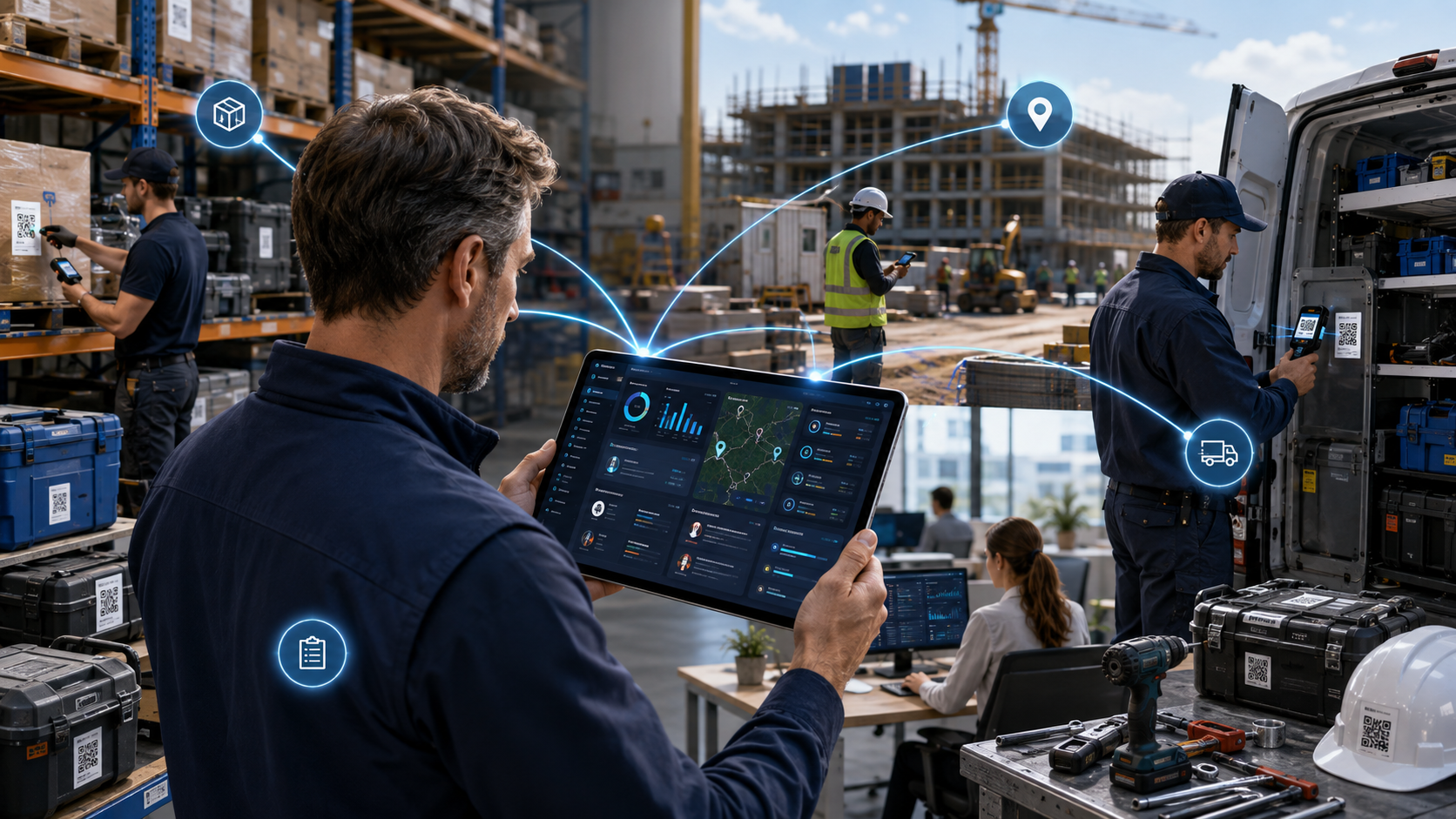
Managing multiple projects, real-time reporting is difficult when tasks, teams, equipment, materials, locations, and updates are spread across spreadsheets, messages, and disconnected tools. A project may look organized on paper, but delays often start when someone cannot find the right item, does not know who has a tool, misses a low-stock warning, or works from outdated inventory data.
That is why modern multi-project management is not only about task lists. For operational teams, it also depends on project-based inventory tracking, asset visibility, resource planning, workload coordination, and real-time reporting. GearChain supports this workflow by helping teams track inventory, assets, equipment, and people with barcode scanning, NFC scanning, label printing, mobile access, spreadsheet sync, and custom no-code workflows.
What does managing multiple projects mean?
Managing multiple projects means coordinating several active projects at the same time while keeping deadlines, resources, teams, inventory, and responsibilities aligned. This includes knowing what each project needs, who owns each task, which tools or materials are available, and where every item is located.
In a small team, this may mean tracking two or three jobs at once. In a growing operation, it can mean managing projects across jobsites, departments, warehouses, stores, service regions, or field teams. Without a centralized project tracking system, teams often lose visibility into timelines, stock levels, equipment custody, and project progress.
A strong multi-project workflow gives every team member a single source of truth. Instead of asking for updates manually, managers can review project status, inventory movement, check-in/check-out records, stock levels, and reports from one connected system.
Why do multiple projects become hard to manage
Most teams do not struggle because they lack effort. They struggle because project complexity outpaces their tracking process. Competitors and project management guides consistently highlight the same problems: unclear priorities, limited visibility, resource conflicts, dependency issues, communication gaps, and overlapping deadlines.
These problems become even more serious when physical inventory is involved. A team may know the deadline but not know whether the right tools, equipment, raw materials, or consumables are available. A project manager may plan the schedule, but a missing item can still delay the work. A warehouse may update a spreadsheet, but field teams may not see the update in time.
This is where project-based inventory management becomes important. Teams need to connect project planning with real-time inventory tracking, equipment availability, and asset custody.
Create one place for projects, assets, and inventory
The first step in managing multiple projects is centralizing your records. Every active project should have clear information about its location, assigned team, required items, current status, deadlines, and responsible owner.
GearChain is designed for teams that manage equipment across jobs, departments, warehouses, stores, or service regions. Inventory can be organized by location, site, project, team, department, category, or item type, helping teams match their tracking system to the way they actually work.
For example, a construction team can organize tools by jobsite and crew. An event company can assign AV equipment to each event. A healthcare office can track supplies by department. A manufacturer can monitor raw materials, work-in-progress items, and finished goods. This structure gives teams operational visibility across multiple projects without depending on scattered spreadsheets.
Use project-based inventory tracking
Project-based inventory tracking helps teams understand which items belong to which project, where those items are, and who is responsible for them. This is especially useful when tools, equipment, materials, or supplies move between locations.
Instead of simply tracking “what is in stock,” a project inventory workflow answers deeper questions:
What does this project need?
Where is the item now?
Who checked it out?
When should it be returned?
Is it available, in use, damaged, under maintenance, or overdue?
Does another project need the same item?
GearChain supports assignment, check-out, due-back date, and return tracking, making it easier to see who has an item and where it should be. It also supports multi-location equipment operations by site, warehouse, project, team, or department.
This improves accountability and reduces delays caused by misplaced tools, duplicate purchases, manual records, or unclear ownership.
Replace spreadsheet chaos with real-time updates
Spreadsheets are useful for starting out, but they become risky when several teams update the same project inventory manually. Errors happen when people forget to update quantities, overwrite data, use old versions, or enter details after the work is already done.
A better approach is to keep the familiarity of spreadsheets while connecting them to live inventory activity. GearChain supports Google Sheets and Excel sync, allowing teams to connect spreadsheet workflows with barcode scanning, mobile updates, and real-time inventory data.
This is valuable for teams that still need downloadable reports, inventory templates, audit records, or spreadsheet-based planning, but want fewer manual errors and faster updates.
Use barcode, QR code, and NFC scanning
Barcode inventory systems help teams update project records quickly. Instead of typing item names, quantities, serial numbers, or locations manually, users can scan a barcode or QR code to view details, update stock, log movement, or check an item in or out.
GearChain’s barcode inventory system supports barcode and QR scanning, real-time inventory tracking across teams, barcode label generation, bulk label printing, mobile access, spreadsheet integration, and multi-location support.
For multi-project operations, this means field teams can scan equipment before taking it to a jobsite, warehouse teams can update quantities as materials move, and managers can see current stock levels without waiting for a manual report.
NFC asset tracking can also support high-value tools, reusable equipment, and mobile assets that move between teams or locations. Together, barcode, QR, and NFC workflows reduce manual data entry and create a cleaner inventory audit trail.
Balance resources across projects
Managing multiple projects also requires resource allocation. Resources include people, tools, equipment, vehicles, materials, stock, and time. If one project uses too many shared resources, another project may be delayed.
To prevent this, teams should review project demand before assigning assets. A manager should be able to see which items are available, which are already assigned, which are due back soon, and which items require maintenance or inspection.
GearChain helps teams track shared tools across crews or departments, machinery across multiple sites, high-value items needing custody tracking, mobile assets moving between people and locations, and equipment requiring maintenance or inspections.
This gives project managers a clearer view of capacity and helps avoid overbooking, stockouts, missed deadlines, and unnecessary purchases.
Set alerts, reports, and project visibility
A strong project tracking system should not only store data. It should help teams act before problems become delays. Low-stock alerts, inventory reports, forecasting, audit records, and project dashboards all support better decision-making.
GearChain offers reports and forecasting to turn tracking data into useful reports, trends, and forecasts. It also supports inventory workflows that help teams make faster decisions with less manual work.
For project teams, this can support weekly reviews, inventory audits, team meetings, client updates, purchasing decisions, and project performance tracking. Managers can identify bottlenecks, monitor project status, review stock movement, and improve accountability across active projects.
Build repeatable project workflows
The best way to manage multiple projects is to stop rebuilding the process every time. Create a repeatable workflow for project setup, inventory assignment, team access, scanning, reporting, and review.
A practical workflow may look like this:
Create a project or location structure.
Import existing inventory from spreadsheets.
Add custom fields for item type, status, location, team, vendor, serial number, or maintenance date.
Generate barcode or QR labels for unmarked items.
Assign items to projects, teams, or departments.
Use mobile scanning for check-in, check-out, movement, and updates.
Set low-stock alerts and review inventory reports.
Use dashboards to monitor availability, usage, and project readiness.
GearChain’s no-code app builder allows teams to configure fields, workflows, and labels around their process, rather than forcing every team into the same structure.
Final thoughts
Managing multiple projects requires more than a list of tasks. Teams also need real-time project tracking, inventory visibility, equipment accountability, resource planning, and clear ownership across sites and departments.
GearChain helps connect these workflows by giving teams one place to track inventory, assets, equipment, people, barcodes, QR codes, NFC tags, reports, permissions, and spreadsheet-connected updates. For businesses moving beyond manual tracking, it creates a more reliable way to manage multiple projects without losing sight of tools, materials, deadlines, or accountability.
FAQs
1. How do you manage multiple projects at the same time?
To manage multiple projects at the same time, centralize all project information, prioritize work by urgency and business value, assign clear owners, track shared resources, review progress regularly, and use real-time project tracking software to monitor deadlines, tasks, inventory, and responsibilities.
2. What is the best way to track multiple projects?
The best way to track multiple projects is to use one centralized dashboard for timelines, tasks, teams, inventory, assets, and reports. This creates a single source of truth, reduces duplicate work, improves visibility, and helps managers identify delays before they affect delivery.
3. How do you prioritize tasks across multiple projects?
Prioritize tasks across multiple projects by comparing deadlines, project impact, resource availability, dependency risk, and business value. Start with work that blocks other tasks, supports high-priority outcomes, or prevents delays in shared equipment, materials, teams, or customer commitments.
4. How can I track tools and equipment across projects?
You can track tools and equipment across projects by assigning each item to a project, site, team, or person. Use barcode, QR code, or NFC scanning to log check-outs, returns, movement history, due-back dates, maintenance status, and current location.
5. What is project-based inventory tracking?
Project-based inventory tracking is the process of organizing inventory, tools, materials, and assets by project. It helps teams see what each project needs, what is available, who has each item, where it is located, and when it should be returned or reordered.
6. How do I replace spreadsheets for project inventory management?
Replace spreadsheets for project inventory management by moving item records into a cloud-based system with barcode scanning, mobile updates, custom fields, inventory alerts, and reporting. This reduces manual entry, improves accuracy, and keeps teams working from updated project inventory data.
