GearChain brings free bulk barcode creation, GS1 Digital Link labels, and Avery templates together in one workflow. Upload your data, choose a label format, preview the sheet, and print. This combination lets you handle a batch of inventory labels while choosing the material that suits each asset.
Sign up with email or your Google, Microsoft, or Apple account. Start with your existing inkjet or laser printer and compatible Avery sheets, without buying a dedicated label printer or label rolls.
Create bulk labels and choose your Avery template
A CSV import lets you generate a whole batch from spreadsheet data. Include item names and adjust text placement and barcode size, so each label is useful to the person reading it and the scanner.
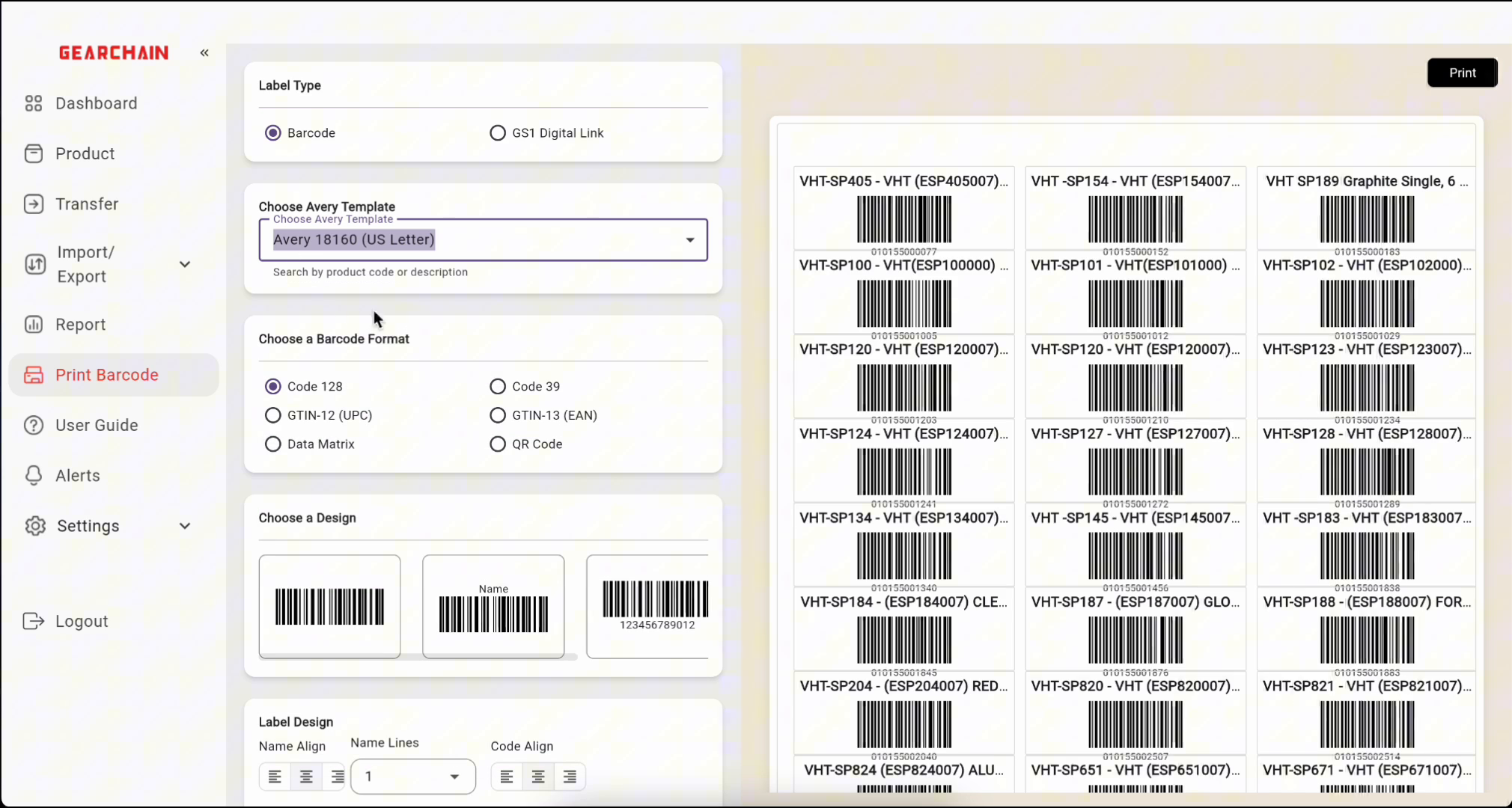
GearChain’s Avery integration lets you search by the product or template number on your label package. Select the matching template to set the sheet layout instead of positioning each label manually. Avery offers thousands of templates and designs across its range.
Choose Avery label materials for your assets
Match the label material and adhesive to the surface and conditions where you will use it.
Label option |
Suggested uses |
|---|---|
Standard paper |
Indoor boxes, shelves, and storage bins |
Waterproof film |
Items exposed to moisture, where the product specifications allow |
Removable adhesive |
Temporary tags and reusable containers needing clean removal |
Check each product’s printer compatibility and durability specifications. For example, Avery 5520 waterproof film labels support laser and pigment inkjet printers. Some waterproof products require these printer types for water-resistant printing; ordinary dye-based ink can smear when wet.
How to create and print bulk barcode labels
- Sign in and open Print Barcode in GearChain.
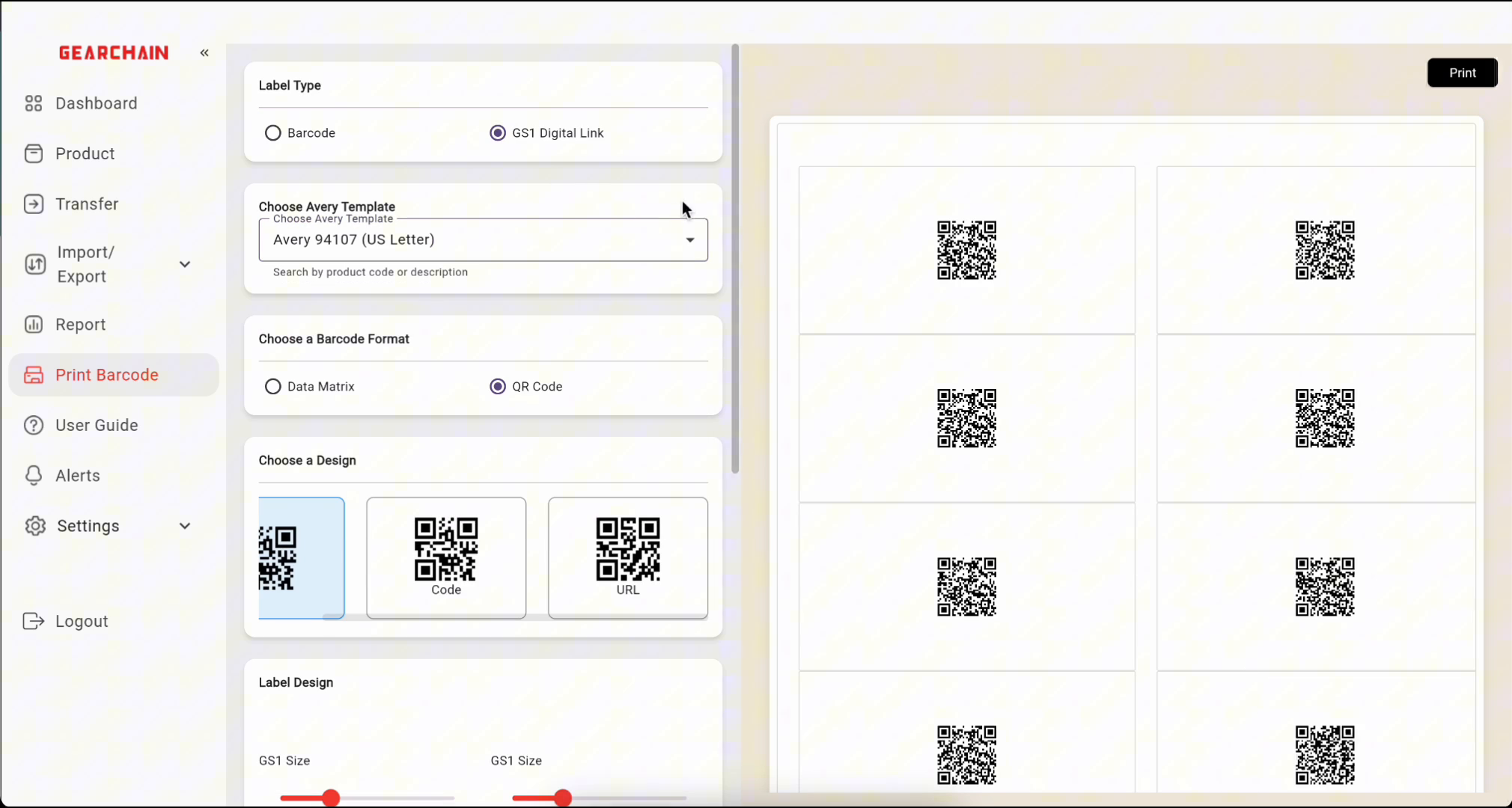
- Choose your label type and format. Select Barcode or GS1 Digital Link. Standard barcode options include Code 128, Code 39, UPC, EAN, Data Matrix, and QR Code.
- Find your Avery template. Search the number from your packaging in Choose Avery Template and select the matching layout.
- Import your data. Download the CSV template, fill in the required columns, and upload your file. Preserve leading zeros in barcode values.
- Adjust the design. Set text placement and barcode size. Review the live preview for clipped names and leave clear space around each code.
- Test, then print. Print on plain paper at 100% or Actual Size, check alignment against your label sheet, and test-scan a sample before printing the batch.
What GS1 Digital Link adds to your labels
GS1 Digital Link puts GS1 identifiers, such as a Global Trade Item Number (GTIN), into a web address that can be encoded in a QR code. This connects a physical product with online information, such as product details or traceability content.
GearChain supports creating these labels in bulk. Use correctly assigned GS1 identifiers and a working destination for the information you want to share. Free label generation does not include GS1 identifier licensing.
Frequently asked questions
Is GearChain’s bulk barcode label printing free? Yes. Creating and printing these labels is free; you provide the label sheets and printer supplies.
Can I print waterproof barcode labels? Yes, with compatible waterproof sheets and the printer and ink specified for that product.
Can I print labels from a spreadsheet? Yes. Save your spreadsheet data as a CSV file and import it into the label tool.
Open GearChain’s free barcode label generator and watch the walkthrough. Start with one test sheet, choose Avery labels that suit your assets, and create your first batch.
