Strategies for Implementing Effective Tool Tracking
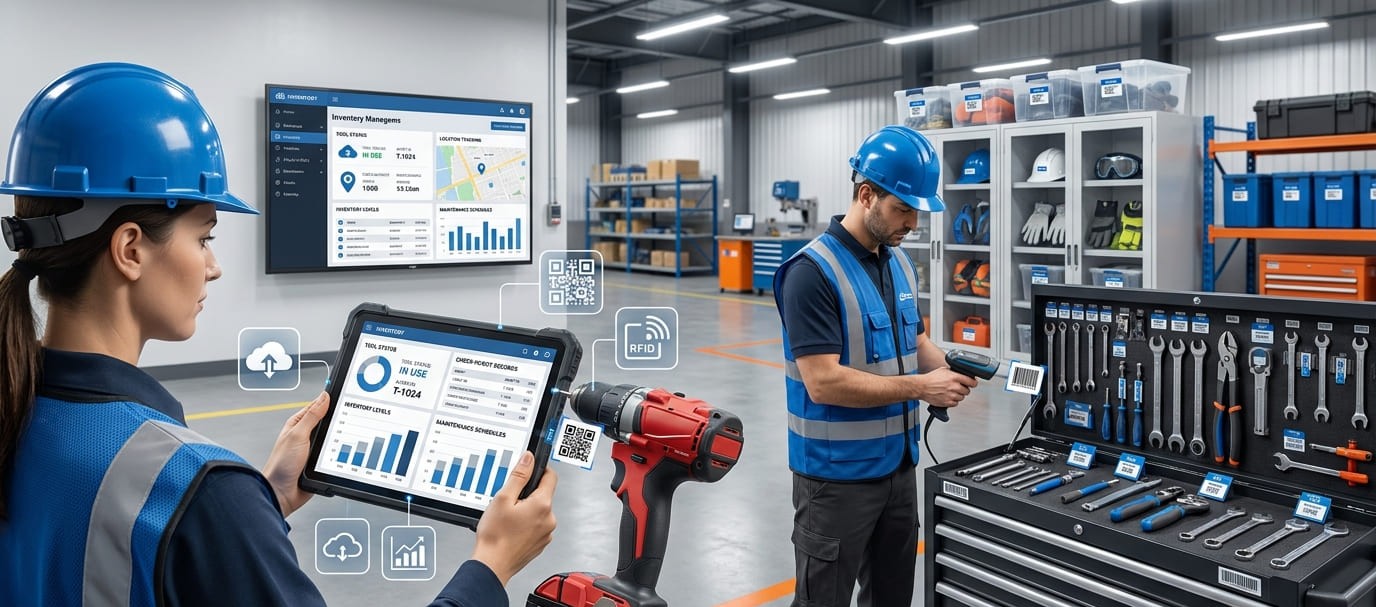
Tools are among the most frequently moved, shared, misplaced, and replaced assets in construction, manufacturing, maintenance, warehousing, and field-service operations. Without an effective tool tracking process, businesses may not know what equipment they own, where each item is located, who is responsible for it, or whether it is ready for use.
Effective tool tracking creates a reliable chain of custody from acquisition and assignment to maintenance and retirement. It combines unique asset identification, clear checkout procedures, accurate inventory records, employee accountability, and regular performance reviews.
The following strategies can help an organization implement a practical tool tracking system that reduces tool loss, improves operational visibility, and supports more informed purchasing and maintenance decisions.
1. Define the Purpose of Tool Tracking
Before selecting a tool management system, identify the operational problems it must solve. A company experiencing frequent tool loss may prioritize custody records and overdue-return alerts. A field-service business may need real-time tool location tracking across vehicles and job sites. A manufacturer may focus on calibration schedules and preventive maintenance.
Common objectives include:
Reducing lost, stolen, or misplaced tools
Identifying who checked out each tool
Improving tool inventory accuracy
Monitoring tool condition and availability
Reducing duplicate or emergency purchases
Scheduling inspections, repairs, and calibration
Tracking equipment across multiple locations
Creating a complete activity and maintenance history
Defined objectives make it easier to choose suitable tracking technology and establish measurable performance indicators.
2. Audit the Existing Tool Inventory
A tool tracking implementation should begin with a physical inventory audit. Record every trackable item, including hand tools, power tools, measuring equipment, safety equipment, specialized machinery, and shared field assets.
Each tool record should contain relevant information such as:
Unique asset number
Tool name and category
Manufacturer and model
Serial number
Purchase date and cost
Current location
Assigned employee or department
Condition and availability status
Warranty details
Inspection or maintenance schedule
Remove duplicate records and standardize naming conventions before importing information into a digital inventory database. Clean asset data prevents inaccurate reports and makes tools easier to search, filter, assign, and audit.
3. Categorize Tools by Value, Risk, and Usage
Not every item requires the same level of tracking. Categorize tools according to replacement cost, portability, usage frequency, safety importance, and likelihood of loss.
High-value or frequently moved equipment may require detailed movement history, restricted access, and real-time location monitoring. Lower-cost hand tools may only need a barcode or QR code and a simple check-in and check-out record.
A risk-based approach helps organizations avoid unnecessary complexity while maintaining stronger control over critical equipment. It also supports better decisions about asset tags, scanning devices, employee permissions, and audit frequency.
4. Assign a Unique Identifier to Every Tool
Every reusable tool should have a unique asset ID linked to its digital tool profile. The identifier can be printed as a barcode, QR code, RFID tag, or durable asset label.
Barcodes and QR codes are practical for most tool inventory tracking processes because employees can scan them during assignment, transfer, checkout, and return. A barcode inventory system can update records immediately and reduce mistakes caused by manual data entry. GearChain supports barcode and QR-code scanning for inventory updates, making this approach relevant for teams replacing spreadsheets or paper-based records.
RFID may be more appropriate when multiple tools must be detected quickly or without direct line-of-sight scanning. GPS and Bluetooth tracking can support high-value equipment that travels between vehicles, facilities, and remote job sites.
5. Create a Consistent Tool Checkout System
A tool checkout system establishes who has custody of an asset and when it should be returned. Each transaction should record the tool, employee, checkout date, expected return date, destination, and intended project or task.
The process should be fast enough to encourage consistent use. Employees are more likely to follow a workflow when they can scan a label with a mobile device instead of completing a long paper form.
A reliable checkout workflow should also cover:
Tool reservations
Employee-to-employee transfers
Vehicle or jobsite assignments
Overdue returns
Damaged-tool reporting
Missing-tool escalation
Tool condition at check-in
Final storage location
This creates an auditable chain of custody and helps managers identify responsibility without relying on memory or informal messages.
6. Select Technology That Fits the Workflow
The best tool tracking technology is not necessarily the most advanced option. It is the system employees can use consistently within their normal work.
Spreadsheets may be sufficient for a very small, fixed inventory, but they become difficult to maintain when tools move frequently. Barcode and QR code tool tracking is suitable for structured checkout processes and mobile scanning. RFID supports faster automated identification, while GPS can provide location data for larger or more valuable equipment.
Cloud-based tool tracking can centralize records from warehouses, workshops, service vehicles, and field locations. GearChain is designed to help organizations track inventory, assets, equipment, and people through configurable forms and workflows without requiring custom development.
The selected system should support current operations while remaining flexible enough to add users, locations, categories, and workflows later.
7. Define Roles, Permissions, and Accountability
Successful workplace tool tracking requires clear ownership of both the assets and the process. Assign responsibility for inventory administration, asset registration, checkout monitoring, maintenance records, and inventory reconciliation.
Role-based access can prevent unauthorized users from editing sensitive records while allowing workers to scan, check out, and return equipment. Employees should understand that tool tracking is intended to improve availability, reduce delays, and protect shared resources—not simply monitor individuals.
A written tool management policy should explain:
Who may check out specific tools
How long tools may remain assigned
What to do when a tool is lost or damaged
Who approves transfers between locations
When inventory audits will occur
How overdue items are escalated
How employee offboarding is handled
Clear policies improve accountability and reduce inconsistent practices between teams.
8. Connect Tracking With Maintenance
Tool maintenance tracking should be part of the same operational process as custody and location tracking. Each asset profile can include inspection dates, repair records, calibration history, warranty information, and preventive maintenance schedules.
When a tool is returned, employees should be able to report its condition. Damaged equipment can then be marked unavailable and routed for inspection before being issued again.
Automated maintenance reminders reduce the risk of overdue servicing, unexpected equipment downtime, and unsafe tool use. Usage history also helps managers determine whether an asset should be repaired, replaced, reassigned, or retired.
9. Test the Process With a Pilot Program
Instead of deploying a new tool control system across the entire organization immediately, begin with one department, warehouse, project, or tool category.
During the pilot, test label durability, scanning speed, mobile access, employee permissions, data accuracy, checkout steps, and reporting. Ask users where the process creates unnecessary delays or confusion.
A pilot program allows the organization to correct problems before full deployment. Once the workflow is stable, expand it in phases and provide employees with simple instructions, demonstrations, and quick-reference guides.
10. Measure Tool Tracking Performance
A tracking system should generate measurable operational improvements. Monitor key performance indicators before and after implementation, including:
Tool inventory accuracy
Number of missing-tool incidents
Tool return compliance
Average time spent locating equipment
Replacement and emergency purchase costs
Percentage of assets with assigned custodians
Preventive maintenance compliance
Equipment downtime
Tool utilization rate
Employee adoption rate
Tracking data can reveal underused assets, frequently missing tools, recurring maintenance problems, and departments that require additional equipment. These insights support data-driven purchasing, resource allocation, and lifecycle management.
11. Conduct Regular Audits and Improve the System
Tools tracking is an ongoing process rather than a one-time software project. Conduct periodic physical audits and compare actual inventory with digital records. Investigate discrepancies, update asset conditions, replace damaged labels, remove retired tools, and verify assigned users and locations.
Review employee feedback and transaction reports to identify where scanning or checkout procedures are being skipped. Simplify workflows where possible and automate notifications for overdue returns, inspections, low availability, or unusual movements.
Continuous improvement keeps the tool inventory accurate as employees, locations, projects, and operational requirements change.
Building a More Reliable Tool Tracking Process
An effective tool tracking strategy connects identification, custody, location, availability, condition, and maintenance within one consistent workflow. The strongest implementations begin with accurate inventory data, use appropriate tracking technology, establish clear employee responsibilities, and measure results over time.
Organizations do not need to introduce every available technology at once. A scalable digital tool register, unique labels, mobile scanning, and a standardized checkout process can provide a strong foundation. More advanced features, such as automated alerts, RFID detection, location monitoring, and maintenance analytics, can be introduced as operational needs grow.
GearChain tool tracking capabilities are designed to help teams monitor tool locations, checkouts, and inventory status while improving accountability and reducing losses. By replacing disconnected spreadsheets and manual records with structured tracking workflows, businesses can keep essential equipment available, reduce avoidable costs, and make daily operations more efficient.
FAQs
What is the best way to keep track of tools?
The best method combines unique asset labels, a centralized digital inventory, mobile barcode or QR-code scanning, and a consistent checkout process. Every transaction should record the tool’s location, assigned user, condition, checkout date, and expected return date.
How do companies keep track of their tools?
Companies track tools using asset tags, barcode or QR-code scanners, RFID, GPS devices, and cloud-based inventory systems. These technologies create digital records showing where tools are stored, who has them, when they moved, and whether maintenance is required.
What is a tool tracking system?
A tool tracking system is a structured process for recording a tool’s identity, location, custody, availability, condition, and movement history. It can include tracking software, asset labels, mobile scanners, checkout workflows, maintenance records, notifications, and inventory reports.
How do you create a tool inventory system?
Start by physically auditing all tools, assigning each item a unique identifier, and recording its category, serial number, location, condition, and custodian. Then establish standardized checkout, return, transfer, maintenance, and auditing procedures within a centralized digital database.
Can QR codes be used to track tools?
Yes. A unique QR code can connect each tool to its digital asset record. Employees scan the code to check equipment in or out, update its location, report damage, view maintenance information, or confirm its current availability.
How can tool tracking reduce equipment loss?
Tool tracking reduces loss by creating a traceable chain of custody for every asset. Managers can identify the last user and location, detect overdue returns, investigate unusual movements, and use accurate inventory records to prevent unnoticed loss or theft.

Enter email to get Free Google Sheets Template
We’ll email you a quick verification link. Click it to confirm your address and your template will open automatically.
Enter email to get Free Excel Template
We’ll email you a quick verification link. Click it to confirm your address and your template will open automatically.